What MCP Promises#
MCP is Anthropic’s open protocol for connecting AI models to external tools, databases, and services. Instead of building custom integrations for every tool, you spin up MCP servers that expose standardized interfaces. Claude Desktop, Cursor, and other AI clients can then discover and use these tools automatically.
The pitch is compelling: a standard protocol means you can wire up Gmail, Jira, databases, and internal APIs once, and any MCP-compatible AI client can use them. No more reinventing the wheel for every integration.
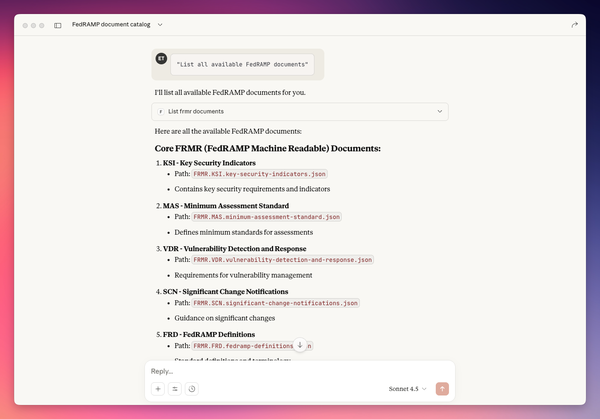
I’ve been experimenting with documentation-based MCPs and the results are mixed. Focused docs can help coding agents give more accurate, actionable answers—the Solana Developer MCP is a good example. But MCP can consume a lot of LLM context tokens, so financially and operationally it may not make sense.
What Anthropic Themselves Say#
Even Anthropic—the company that created MCP—acknowledges significant issues. In their engineering post “Code execution with MCP: Building more efficient agents,” they highlight:
- Tool definitions overload the context window when you load lots of MCP tools directly as “tools” in models
- Intermediate tool results consume tons of tokens because large outputs (docs, sheets, transcripts) get passed through the model multiple times between tools
- Higher cost and latency as agents become less efficient with more MCP servers/tools connected
- Increased error risk from copying large data through the model (models can make mistakes when re-copying big blobs between calls)
- Scaling problems once you have hundreds or thousands of tools connected for a single agent
- Added complexity if you try to fix this with code execution—now you need a secure sandbox, resource limits, and monitoring
Security Concerns#
Single Point of Failure for Secrets#
MCP servers often hold powerful API keys and OAuth tokens for Gmail, Drive, Jira, and other services. If a server is compromised, all those credentials are at risk. You’re essentially creating a high-value target that aggregates access to multiple sensitive systems.
Prompt Injection and Tool Poisoning#
Malicious documents, emails, or even a malicious MCP server can trick the model into calling sensitive tools or exfiltrating data. The attack surface expands with every tool you connect. A compromised calendar invite could theoretically instruct the model to forward emails or modify files.
Overbroad Permissions#
It’s easy to wire MCP servers with very broad scopes (full tenant access) instead of tightly scoped, per-use-case permissions. The principle of least privilege is hard to maintain when the whole point is giving AI agents flexible access to tools.
Operational Challenges#
No Built-in Governance#
MCP itself doesn’t enforce RBAC, human approval, or policy checks (e.g., “never delete prod resources”). You have to build those layers yourself. Want to require approval before the AI sends an email? That’s on you to implement.
Stateful SSE Scaling#
Long-lived server-sent event connections can be awkward to scale and load-balance compared to stateless HTTP APIs. If you’re running MCP at any kind of scale, you’ll need to think carefully about connection management.
Tool Orchestration Complexity#
Deciding which tools to expose, handling failures, retries, and versioning across many MCP servers gets annoying fast. Every new server is another thing to monitor, update, and debug when something breaks.
Identity and Audit Ambiguity#
Without careful design, it’s unclear whether an action should be attributed to the human, the agent, or a shared service account. Audit logs can get messy quickly. Acuvity has an interesting solution for this, but it’s not built into MCP itself.
Ecosystem Immaturity#
Many MCP servers are early-stage and may have inconsistent security hardening, error handling, and upgrade paths. You’re betting on a young ecosystem where best practices are still being figured out.
When MCP Still Makes Sense#
Despite these issues, there are use cases where MCP works well:
- Focused documentation servers where the context overhead is manageable
- Development/prototyping where security requirements are lower
- Single-purpose integrations that don’t require complex orchestration
- Internal tools where you control the entire stack
Conclusion#
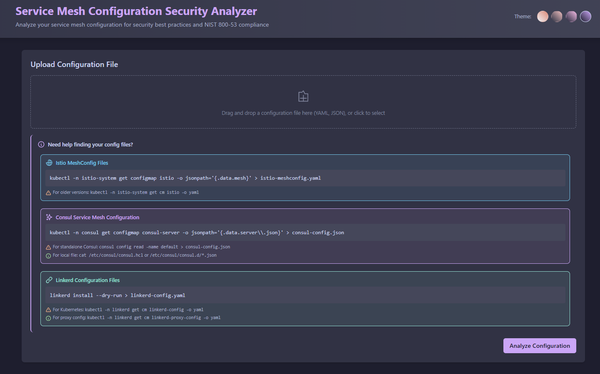
I’m hoping as MCP evolves there’s a future where specialized servers (FedRAMP MCP, vulnerability MCP, compliance MCP) can interact and help users make better decisions faster. Compliance is context-heavy, so focused documentation MCPs could speed things up if implemented well—even if they only remind users what context they’re missing.
Currently though, the heavy context overhead and complexity make it a tough sell for most production use cases. Maybe stick with RAG for now until MCP matures.